PARA PROFISSIONAIS
Remova os limites. Mantenha todo o resto.
- Uso comercial e empresarial
- Atualizações automáticas
- Suporte técnico prioritário
- Sem anúncios
Obter Pro
Já comprou? Baixar Pro
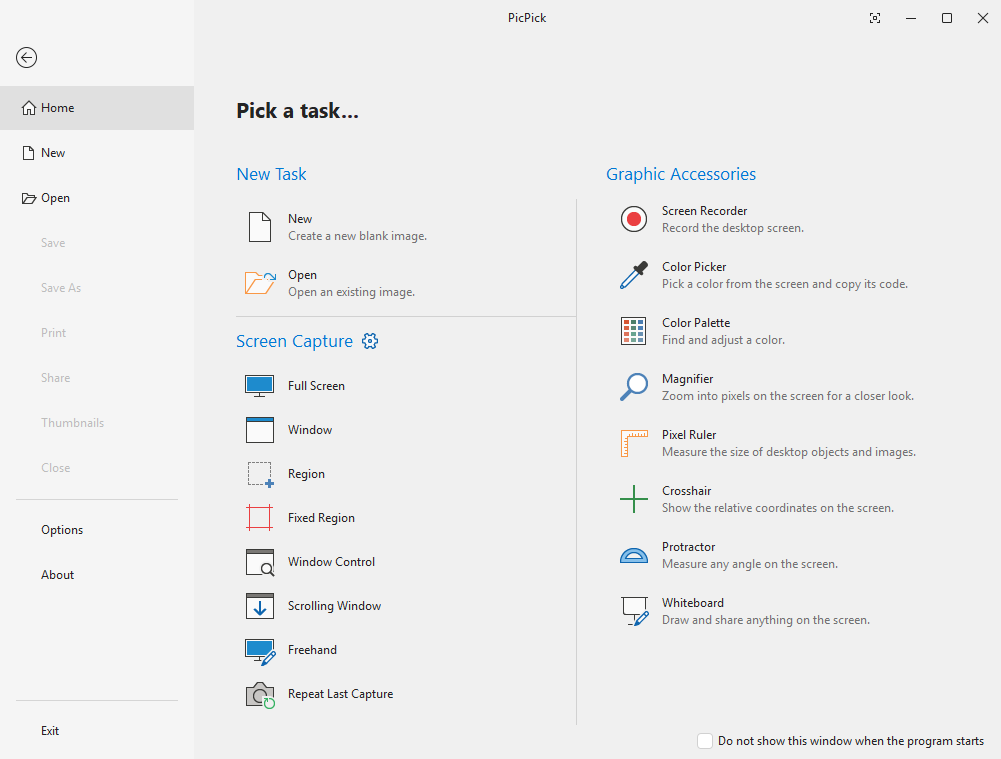
Notas de Versão
v7.6.1v7.6.1 (2026-09-16)
v7.6.1 changes
- Screen Recorder: added a Pause/Resume button while recording.
- Screen Recorder: added Webcam overlay (live preview, position, size, flip).
- Screen Recorder: added mouse effects: cursor highlight, click effects, and click sounds.
- Screen Recorder: added a countdown before recording starts.
- Screen Recorder: newly designed options dialog (General, Video & Audio, Cursor, Webcam).
- Improved HEIF/HEIC image support.
- Fixed window-control capture failing on apps that span the whole desktop.
- Renaming a file now handles invalid and duplicate names.
- Printer settings are no longer loaded at startup.
- Other minor bug fixes.
Versões
Estávelv7.6.1
Betav8.0.0-beta10
Requisitos do Sistema
Sistema OperacionalTodas as versões do Windows
Arquiteturax86 / x64
RAM512 MB ou mais
Armazenamento~250 MB

PICPICK
Capture. Edite. Compartilhe. Tudo em um só lugar.
Direitos autorais © NGWIN, Todos os direitos reservados.
PARA PROFISSIONAIS
Remova os limites. Mantenha todo o resto.
- Uso comercial e empresarial
- Atualizações automáticas
- Suporte técnico prioritário
- Sem anúncios
Obter Pro
Já comprou? Baixar Pro
Notas de Versão
v7.6.1v7.6.1 (2026-09-16)
v7.6.1 changes
- Screen Recorder: added a Pause/Resume button while recording.
- Screen Recorder: added Webcam overlay (live preview, position, size, flip).
- Screen Recorder: added mouse effects: cursor highlight, click effects, and click sounds.
- Screen Recorder: added a countdown before recording starts.
- Screen Recorder: newly designed options dialog (General, Video & Audio, Cursor, Webcam).
- Improved HEIF/HEIC image support.
- Fixed window-control capture failing on apps that span the whole desktop.
- Renaming a file now handles invalid and duplicate names.
- Printer settings are no longer loaded at startup.
- Other minor bug fixes.
Versões
Estávelv7.6.1
Betav8.0.0-beta10
Requisitos do Sistema
Sistema OperacionalTodas as versões do Windows
Arquiteturax86 / x64
RAM512 MB ou mais
Armazenamento~250 MB
PICPICK
Capture. Edite. Compartilhe. Tudo em um só lugar.
Direitos autorais © NGWIN, Todos os direitos reservados.