 PICPICK
Try new features with PicPick Beta!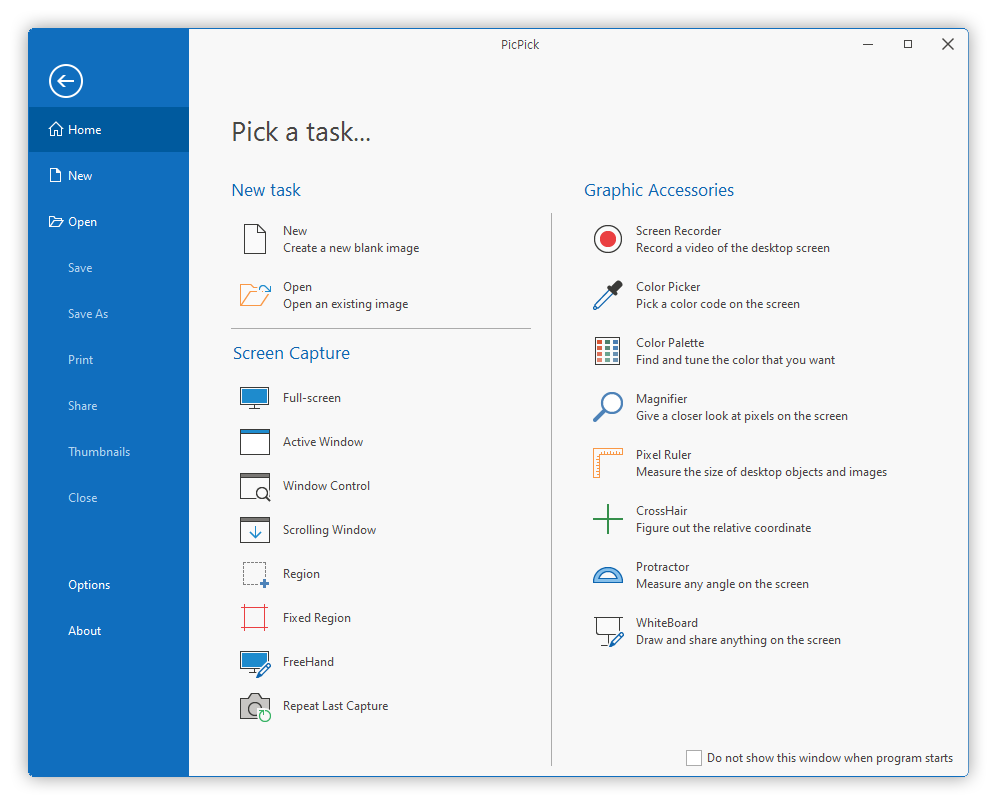
Download v8.0.0-beta7 (x64)Latest Version
v8.0.0-beta7 (2026-02-23)
Beta 7 Key Improvements
- Updated the user interface with a newly redesigned look and feel
- Improved readability in Dark Mode
- Fixed an issue where pasted images from external programs appeared in a different size than the original
- Improved image loading by properly applying EXIF rotation information
- Fixed an issue where text appeared smaller than intended when editing text in line-type shapes
- Fixed an issue where saved files were not added to the Recent Documents list
- Fixed an issue where the text input box did not close when clicking the “Finish Editing” button during text editing
- Fixed an issue where undo did not work when drawing line-type shapes
- Fixed an issue where the order of open file tabs in the Image Editor could not be changed
- Improved the tolerance adjustment interface for the Fill tool
- Improved rendering of small-sized shapes
- Improved usability of the Backspace key
- Fixed an issue where the magnifier-effect shape was not displayed
General Feature Improvements
- Added support for 64-bit architecture.
- Support for saving and editing transparent PNGs
- Introduced a new file format for PicPick, allowing shapes and layers to be saved and re-edited.
- Added a feature for free-angle image rotation.
Drawing and Retouching Feature Enhancements
- Added various drawing modes: soft brush, calligraphy, and airbrush.
- Introduced new retouching features: finger (smudge), mosaic, twist, blur, and sharpen effects.
- Added transparent eraser and transparent fill tools.
- Improvement to allow setting a tolerance level for fill and magic wand tools
Selection Area Feature Enhancements
- Added new selection tools: Elliptical selection, freehand selection, and magic wand selection.
- Included an option to invert the selection.
- Improved functionality to convert selections into layers for applying independent effects.
- Added a feature to reset effects on independent layers.
Enhanced Text Insertion Functionality
- Ability to insert WordArt-style gradient text
- Quick menu for rapidly changing text styles
Improved Shape Insertion Features
- Inclusion of over 20 diverse shapes and arrows
- Enhancement to allow inserting gradients into shape backgrounds
- Feature to align multiple shapes and layers precisely
- Improved shadow effects for shapes
Available On
Microsoft Windows 11, 10, 8.1, 8, 7, Vista and XP including both 32-bit and 64-bit versions.
Copyright© NGWIN All rights reserved.